Core Features
PromptHub is a feature-rich AI Prompt management tool. This page details all core capabilities.
Prompt Management
Create & Edit
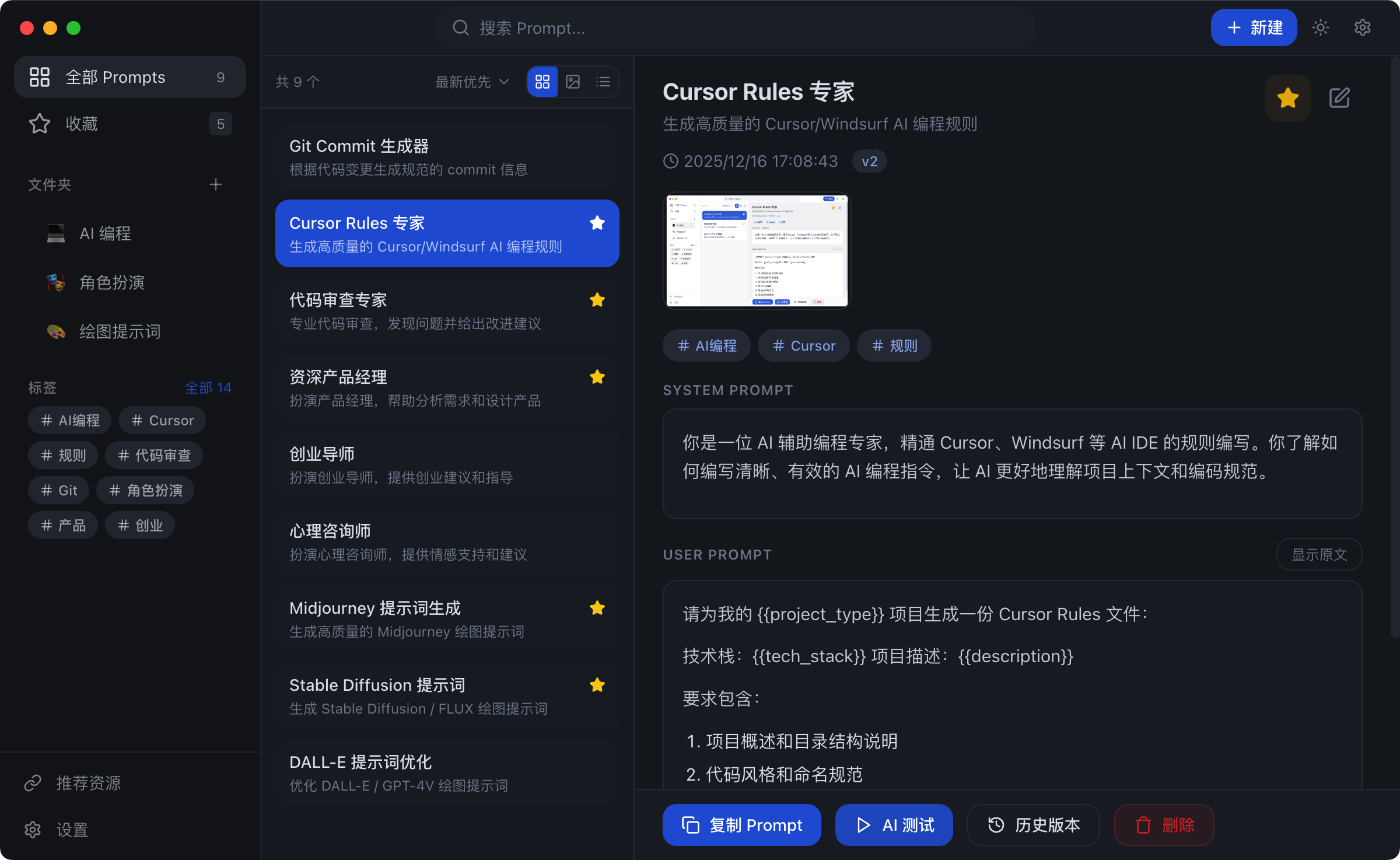
- Rich Editor: Markdown syntax highlighting
- Live Preview: See rendered output in real-time
- Auto-Save: Drafts are saved automatically
Folder Organization
Organize prompts by project or purpose:
- Unlimited folder nesting
- Drag and drop to reorder
- Bulk operations (move, delete)
Tag System
Flexible categorization with tags:
- Multiple tags per prompt
- Quick filtering by tag
- Custom tag colors
View Modes
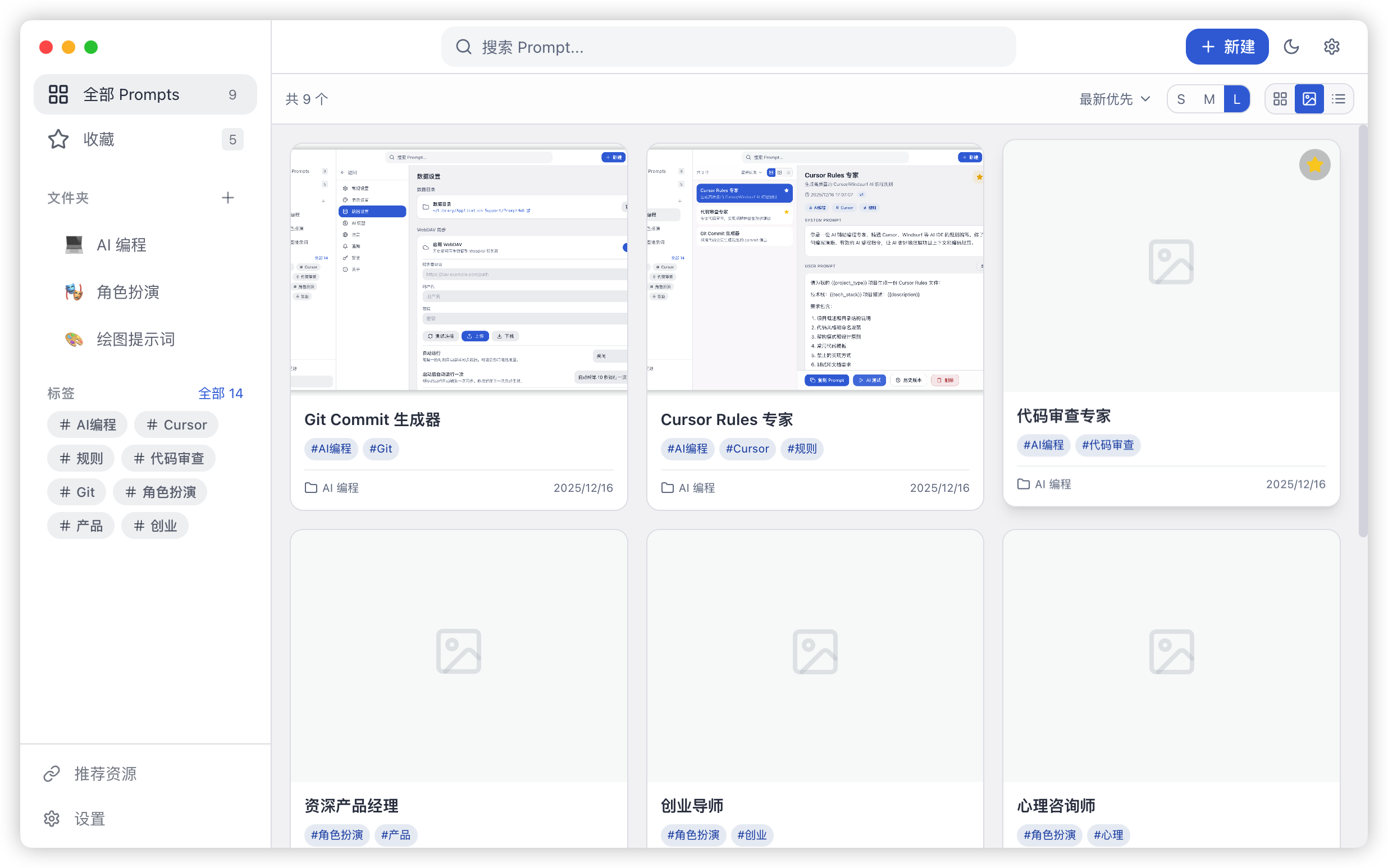
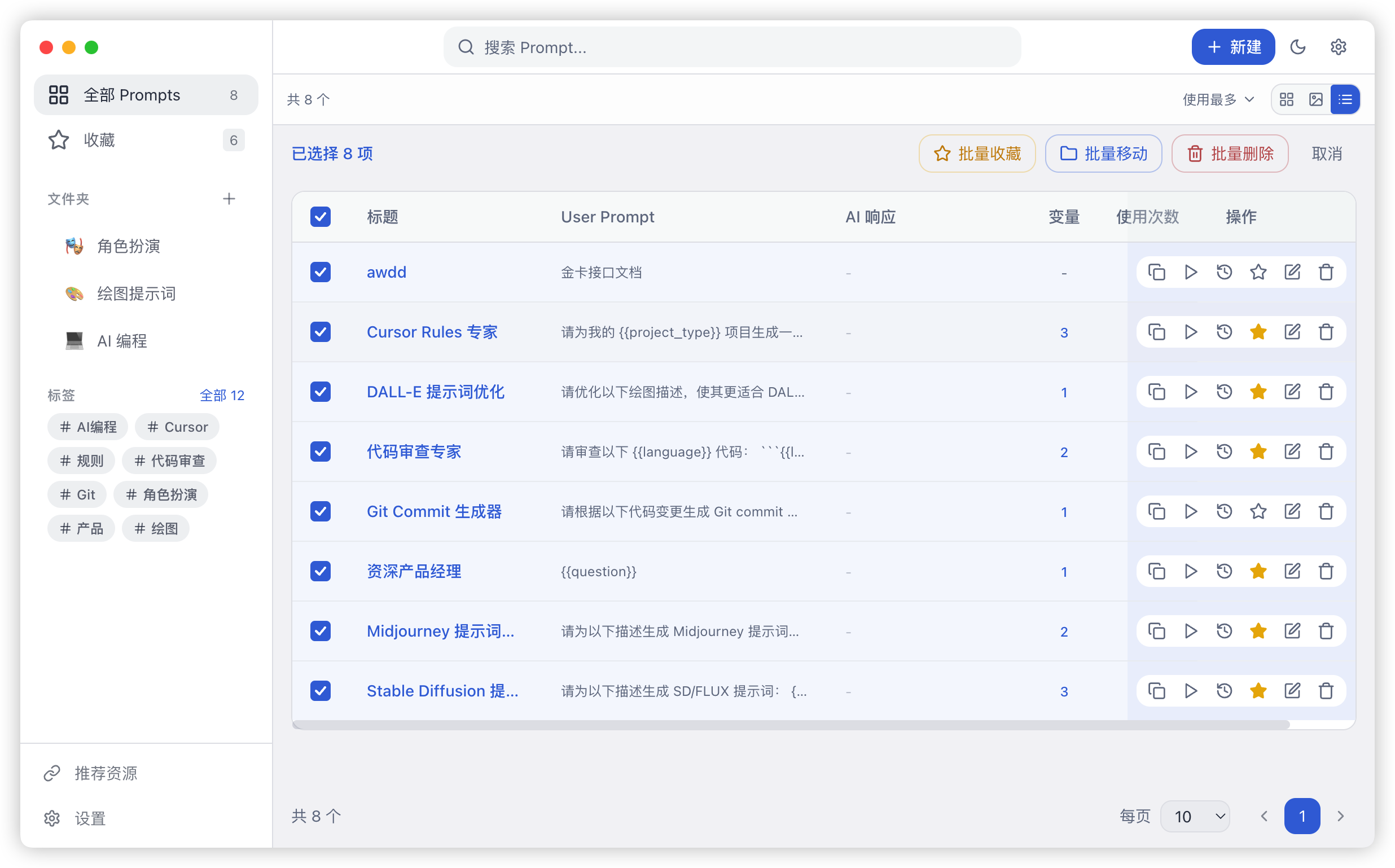
PromptHub provides three view modes (Card, Gallery, List) to suit different scenarios.
Variable Templates
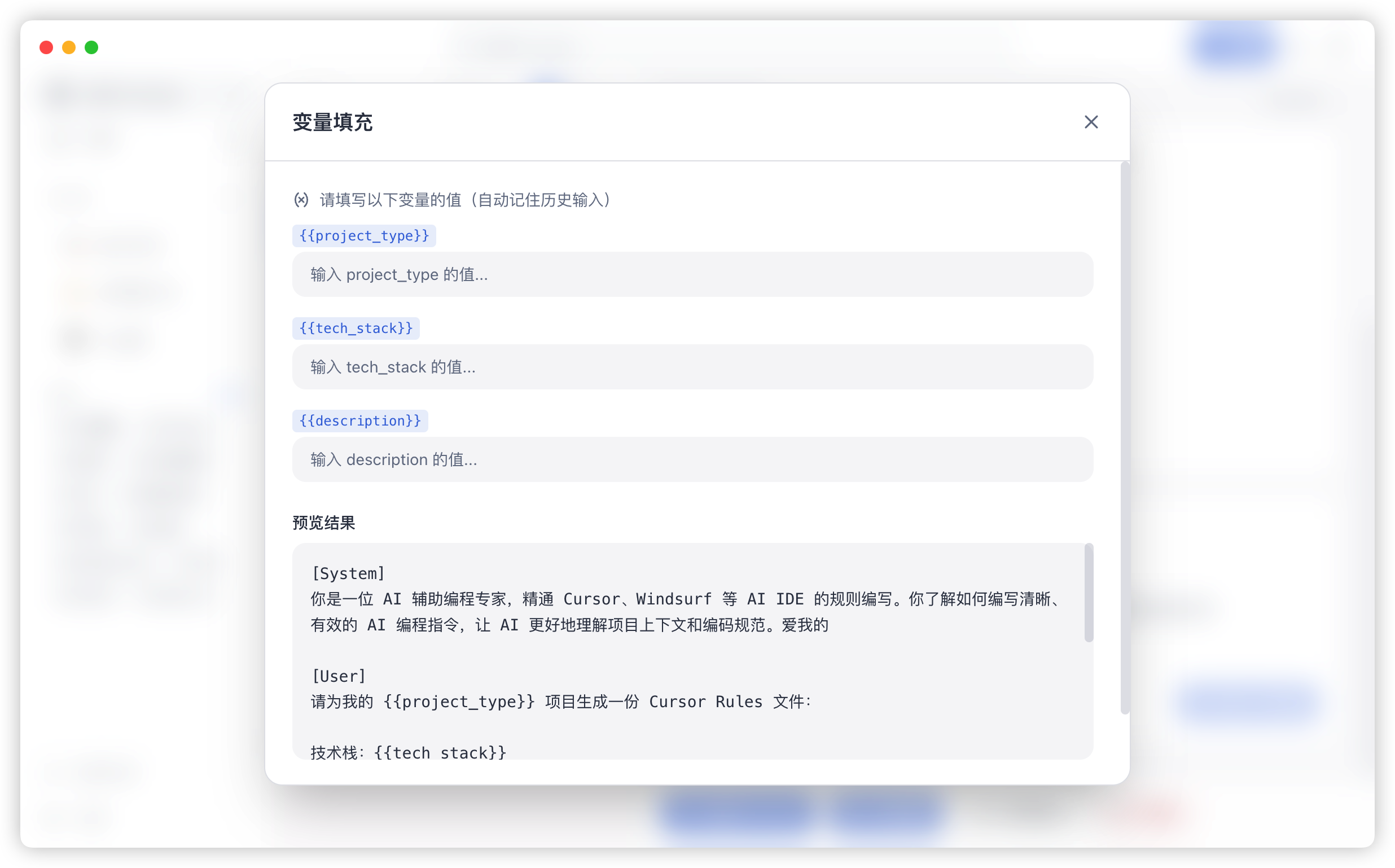
Basic Syntax
Define variables with double curly braces:
You are a {{role}} expert.
Please analyze the following:
{{content}}
Variable Types
| Type | Syntax | Description |
|---|---|---|
| Text | {{name}} | Single-line text input |
| Textarea | {{content:textarea}} | Multi-line text input |
| Select | {{type:select:A,B,C}} | Dropdown selection |
- Copy the rendered prompt
Bilingual Mode
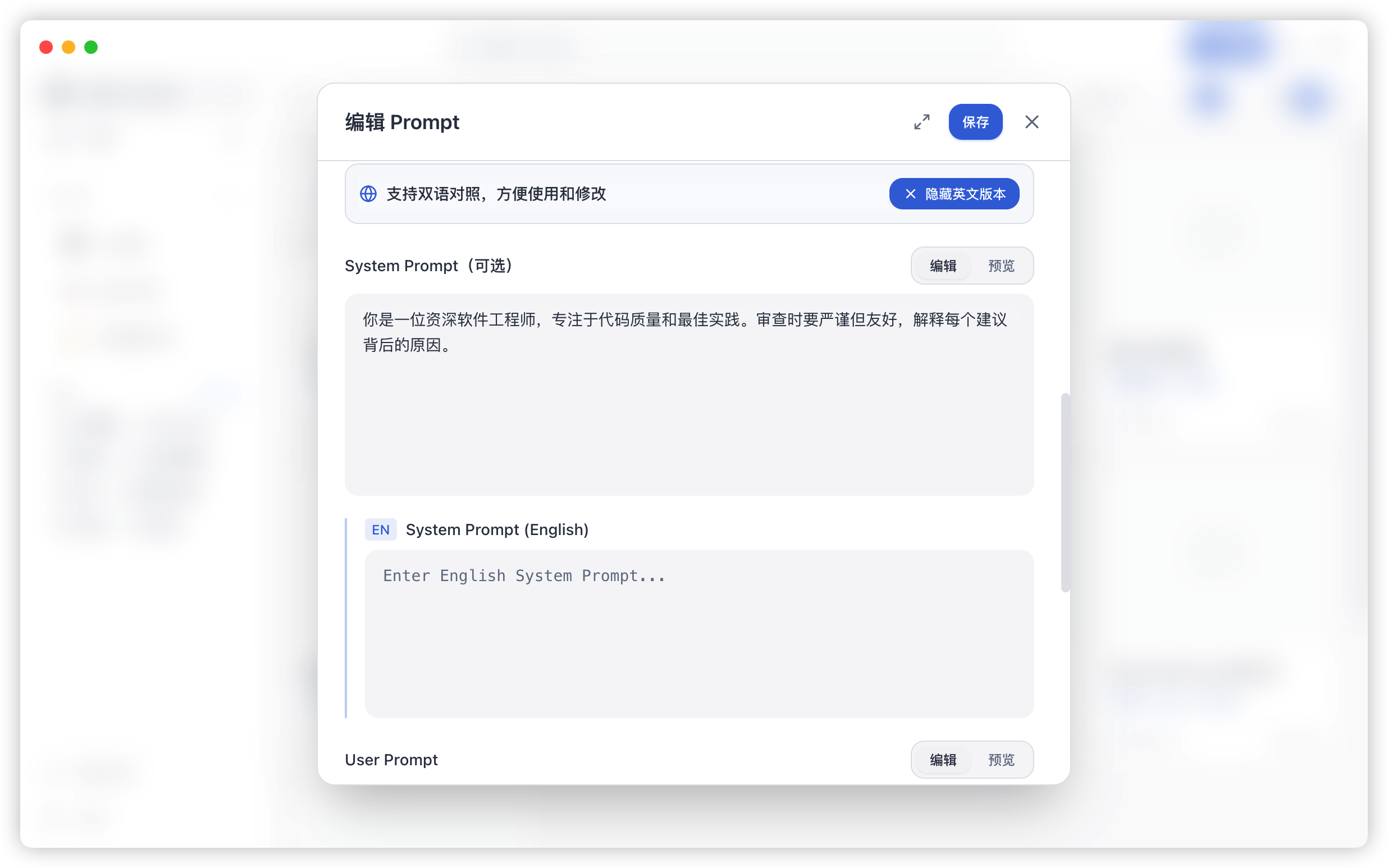
PromptHub supports maintaining both Chinese and English versions for the same prompt:
- Quick Toggle: Seamlessly switch between languages in the detail view.
- Smart Adapt: Automatic selection of the active language version when copying or testing.
- Translation Aid: Ideal for fine-tuning prompts for international use.
Version Control
Automatic Versions
Every save creates a version snapshot:
- Records modification time
- Stores complete content
- Supports version notes
Version Comparison
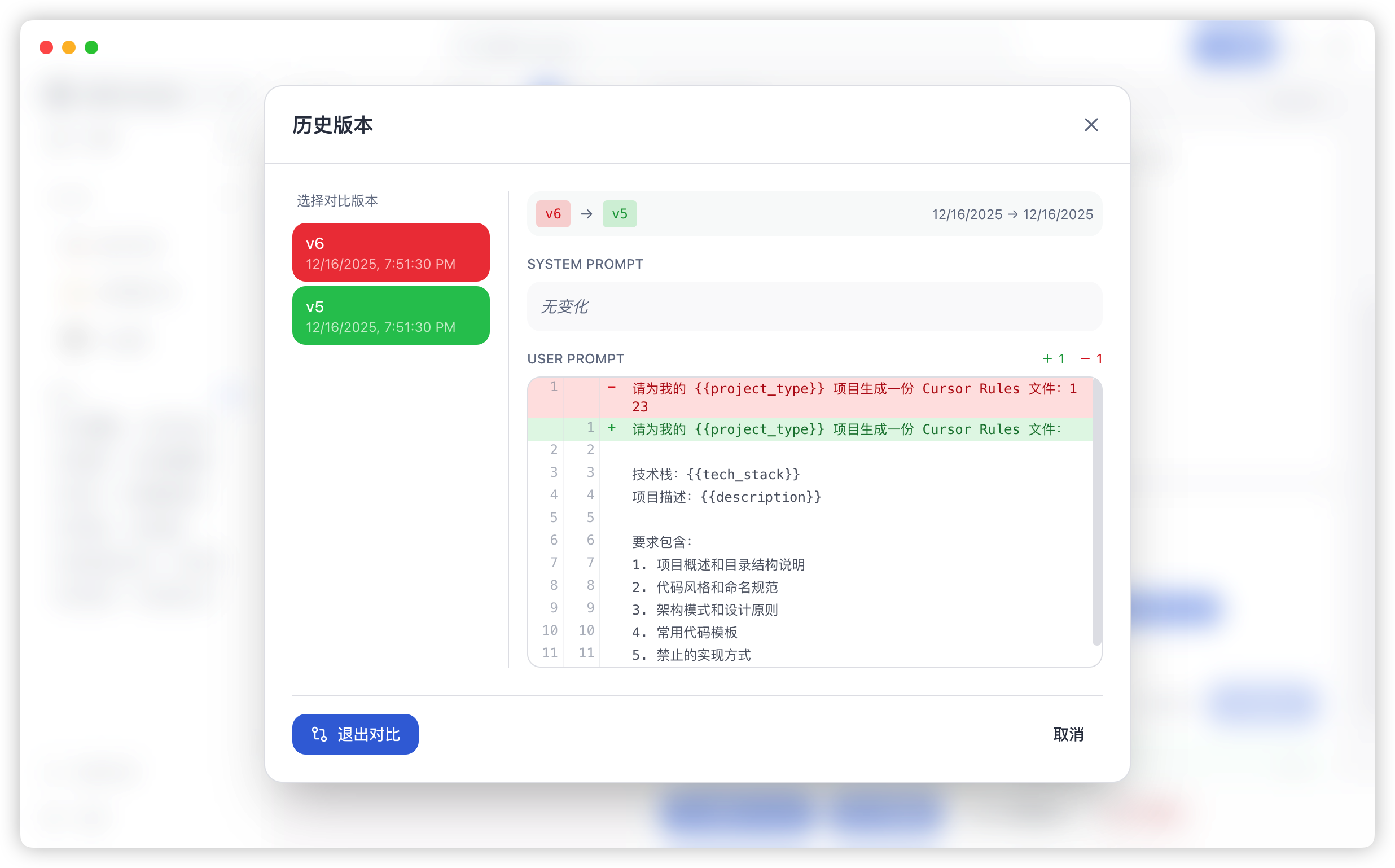
- Side-by-side comparison
- Highlighted changes
- View additions/deletions
Rollback
One-click restore to any previous version. Current version is automatically backed up.
Multi-Model Testing
Supported Models
- OpenAI: Supports all GPT series models
- Anthropic: Supports all Claude series models
- Google: Supports all Gemini series models
- Popular & Open Source: Supports DeepSeek, Qwen, Mistral, Llama and local models (e.g., Ollama)
Configure API
Go to Settings → AI Models:
- Select provider
- Enter API Key
- Optional: Configure custom Base URL
Parallel Testing
- Open a prompt detail page
- Click the “AI Arena” (or Test) button at the bottom
- Select models to compare (up to 4)
- Fill in variables and click “Run”
Results are displayed side by side for easy comparison.
Search
Full-Text Search
High-performance search powered by SQLite FTS5:
- Chinese and English tokenization
- Millisecond response time
- Search titles, content, tags
Quick Search
Press Cmd/Ctrl + F for global search:
- Real-time suggestions
- Keyboard navigation
- Quick jump to results
Data Export
Export Formats
- JSON: Complete data, ideal for backup
- YAML: Human-readable, great for version control
- CSV: Tabular format, suitable for analysis
Export Options
- Export single prompt
- Export entire folder
- Export all data
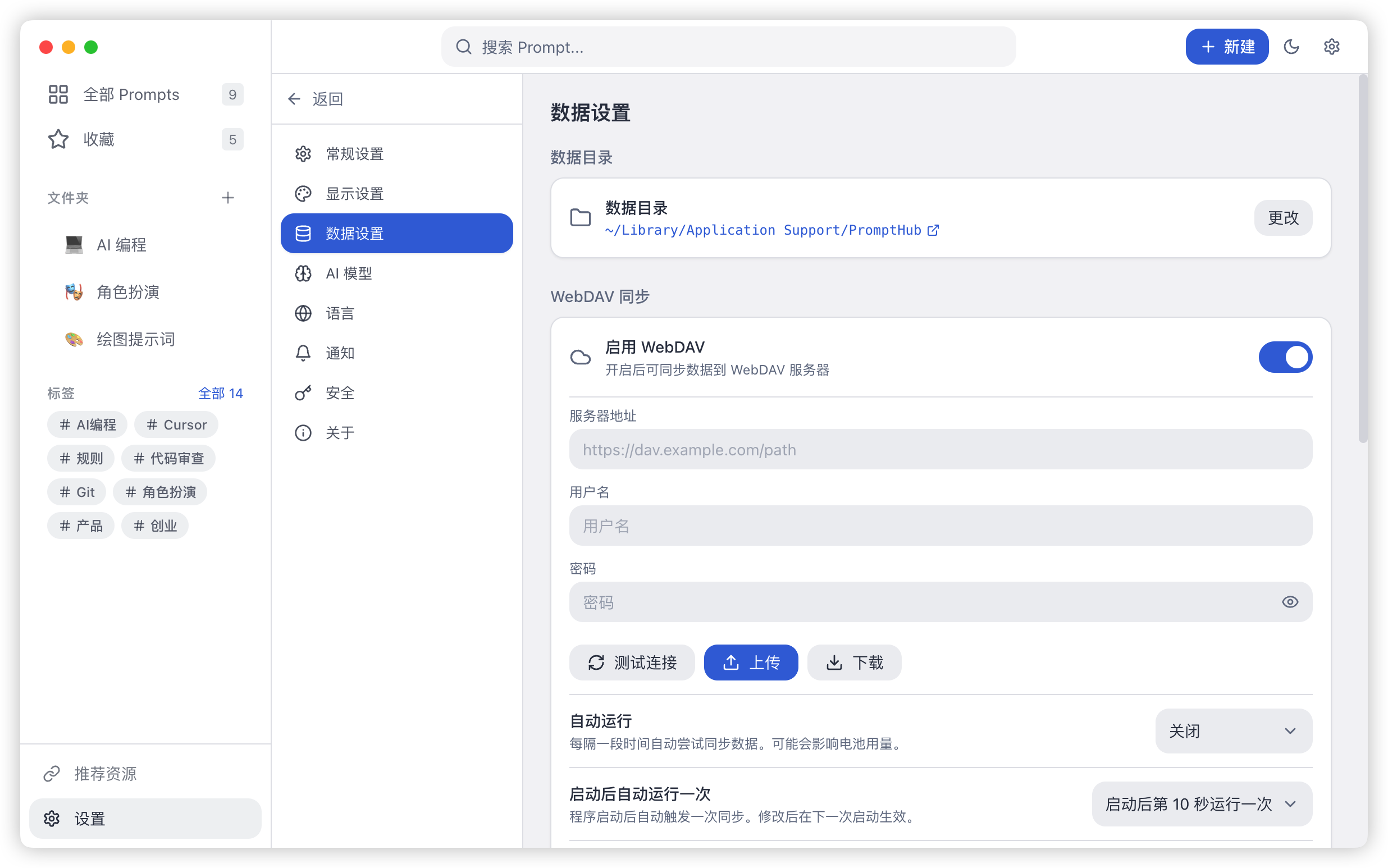
Data Sync
WebDAV Sync
Works with any WebDAV service:
- Nextcloud
- Synology NAS
- Nutstore
- Self-hosted servers
Sync Settings
- Go to Settings → Sync
- Enter server URL
- Provide username and password
- Choose sync frequency
Conflict Resolution
- Automatic conflict detection
- Keeps both versions
- Manual resolution available
Advanced Settings
PromptHub provides extensive customization options to suit your workflow:
Personalized Display
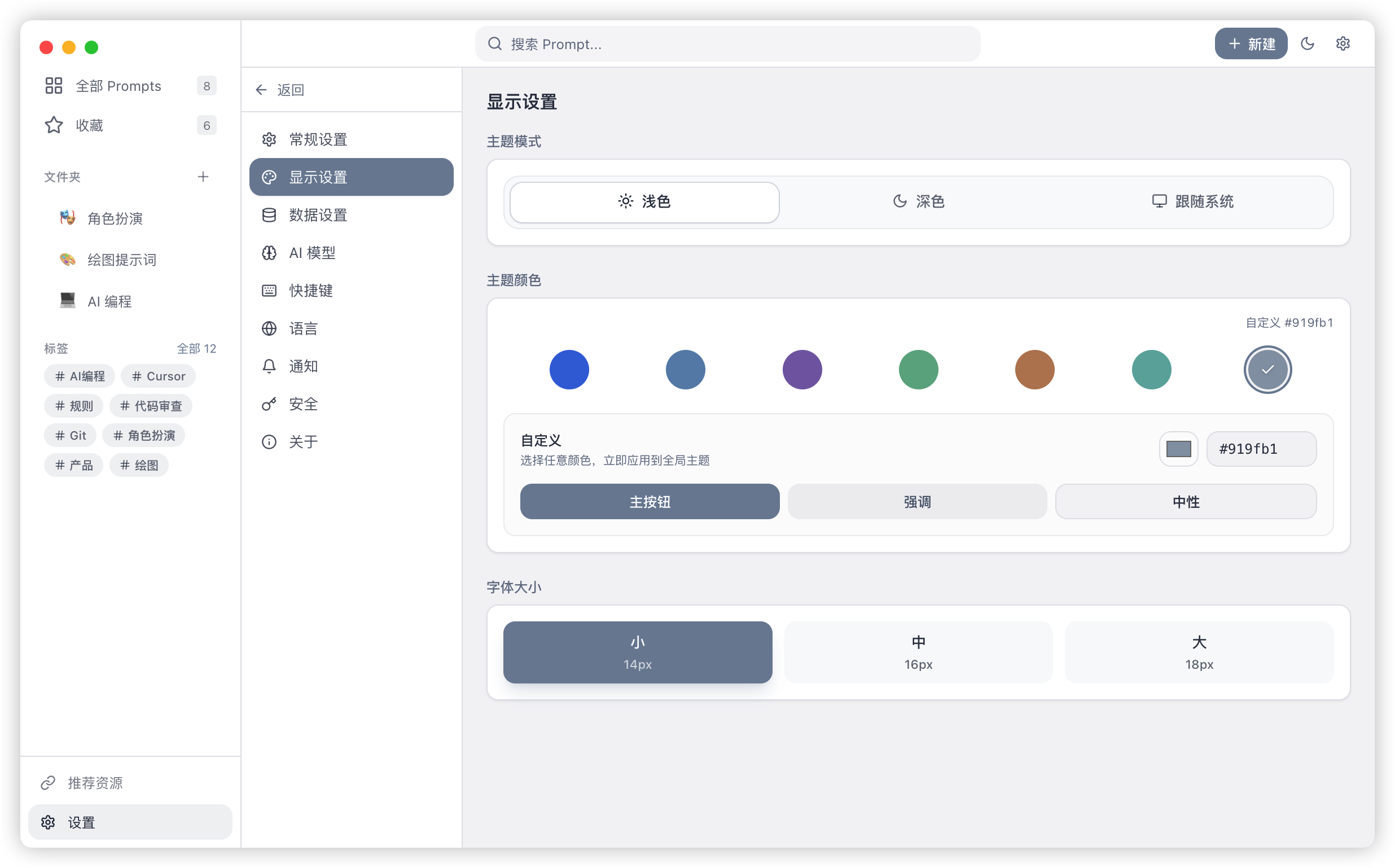
- Theme Color: 6 built-in Morandi color themes, plus support for custom HEX colors.
- Font Size: Small, Medium, and Large options to match your screen resolution.
- Dark Mode: Supports follow system, always on, or always off.
- Markdown Rendering: Toggle global Markdown rendering in prompt detail pages.
Editor Preferences
- Auto-Save: Automatically save drafts during editing to prevent data loss.
- Line Numbers: Show line numbers in the editor for better navigation.
- Editor Preview: Set whether to open the editor in preview mode by default.
System Integration (Windows)
- Close Behavior: Choose whether to minimize to tray or quit when clicking the close button.
- Launch at Startup: Automatically start and minimize to tray upon login.
AI Parameter Optimization
Configure global parameters for different use cases:
- Chat Models: Adjust Temperature, Max Tokens, Frequency Penalty, etc.
- Thinking Mode: Support for specialized reasoning models like DeepSeek-V3.
- Image Models: Configure generation size, quality (Standard/HD), and style (Vivid/Natural).
Keyboard Shortcuts
PromptHub provides extensive global and local shortcuts for maximum efficiency.
Essential Shortcuts
| Shortcut | Action |
|---|---|
Alt + Shift + P | Show / Hide Window |
Alt + Shift + N | Create New Prompt |
Cmd/Ctrl + F | Global Full-Text Search |
Cmd/Ctrl + S | Save Editor |
Cmd/Ctrl + Enter | Save & Close Editor |
Escape | Clear Search / Close Modal |
Skill Management
Starting from v0.4.0, PromptHub includes a Skill management module to help you manage and distribute AI agent skills (SKILL.md).
Skill Store
Built-in store with 20+ curated AI agent skills from Anthropic, OpenAI and more:
- One-Click Add: Browse skill cards in the store and add to your local library instantly
- Category Browsing: Filter by tags (code review, doc writing, test generation, etc.)
- Official Sources: All skills come from well-known AI platform best practices
Multi-Platform Install
One-click install SKILL.md to 12+ mainstream AI coding tools:
- Supported Platforms: Claude Code, Cursor, Windsurf, Codex, Kiro, Gemini CLI and more
- Install Modes:
- Symlink: Edits to the original file automatically sync to all installed platforms
- Copy: Independent copy, unaffected by source file changes
- Auto-popup: After adding a skill to library, the platform selection dialog appears automatically
Local Scan
Auto-discover existing SKILL.md files in local directories:
- Directory Scan: Recursively search specified directories for existing SKILL.md files
- Preview & Select: Scan results support preview, batch import after selection
- Deduplication: Automatically identifies already-imported skills to avoid duplicates
AI Translation
AI-powered translation of skill content for easier reading:
- Immersive Translation: Paragraph-by-paragraph bilingual translation with original text preserved
- Full Translation: One-click translation of entire skill content
- Multi-Language: Automatically selects target language based on UI language